Roblox Horror Thumbnail Templates
Horror thumbnails work by suggestion: a silhouette, a light at the end of a corridor, something half seen. These templates build tension without gore, which also keeps them inside Roblox’s content rules.
Horror templates
What works for horror thumbnails
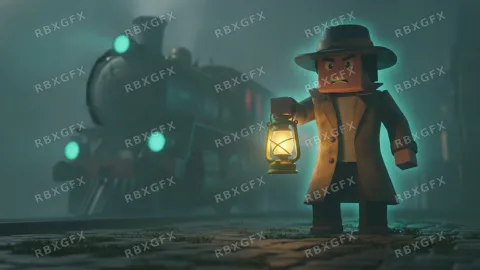
- Hide the monster. A shape in the dark is scarier than a detailed creature, and it holds up at small sizes.
- Use one light source, such as a flashlight or a doorway, to lead the eye.
- Keep it bloodless. Graphic content fails moderation and is refused by the generator.
- A single accent color, like red eyes in a blue-black scene, makes the image readable on a crowded page.
Horror examples from the gallery
Frequently asked questions
More Roblox tools
- Thumbnail Maker5 test-ready thumbnails at 1920×1080
- Game Icon MakerSquare 512×512 icons for your game
- GFX MakerRendered-style scenes without Blender
- Gamepass Icon MakerIcons composed for the circular crop
- Badge Icon MakerAchievement badges that survive the crop
- Group Icon MakerEmblems for groups and studios
- Game Logo MakerStylized title lettering for your game
- Thumbnail Size CheckerCheck and fix a thumbnail for free
- Icon Size CheckerSizes for game, pass, badge and group icons
- ExamplesThumbnails and icons made by other developers