Roblox Icon Sizes for Every Asset Type
Roblox game icons, game pass icons and badge icons all use 512×512 pixels. Game icons must be at least that size, game pass images must not exceed it, and pass and badge images are displayed in a circle.
Check your image
Blank PNG templates
Place the transparent guide above your artwork in an image editor. Hide it before exporting your finished image.
- Download PNG
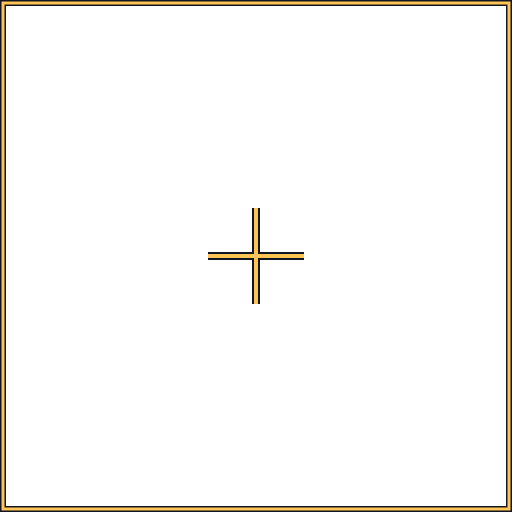
Game icon 512×512
Use the center guides to position the main subject.
- Download PNG
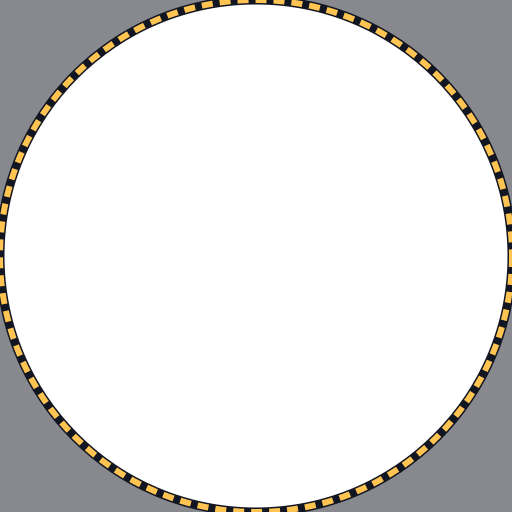
Gamepass icon 512×512
Keep key details inside the circle.
- Download PNG
Badge icon 512×512
Keep key details inside the circle.
Size reference
| Asset | Size | Shape | File formats | File size | Source |
|---|---|---|---|---|---|
| Game icon | At least 512×512 px | Square (1:1) | Not specified | Not specified | Creator Hub |
| Game pass icon | No larger than 512×512 px | Square file, shown cropped to a circle | .jpg, .png, .bmp | Not specified | Creator Hub |
| Badge icon | 512×512 px | Square file, shown cropped to a circle | Not specified | Not specified | Creator Hub |
| Group icon | 512×512 px (recommended; not specified by Roblox) | Square (1:1) | Not specified | Not specified | Creator Hub |
Game icon size
The Creator Hub documentation says a game icon should be square and at least 512×512 pixels, and recommends starting from a 512×512 template. Icons are scaled down when shown, to sizes like 150×150 pixels, so check that yours still reads at that size.
One icon is displayed per locale, and every icon must pass moderation before other players see it.
Game pass icon size
For game passes the rule is a maximum, not a minimum: the documentation says the image must not exceed 512×512 pixels and must be a .jpg, .png or .bmp file. It also asks that the image does not include important details outside of its circular boundaries, because passes are shown in a circle.
Badge icon size
The documentation recommends a 512×512 template for badges and explains that the upload process trims and crops the badge image into a circular icon. Keep text and other important details away from the corners and edges.
Group icon size
Roblox’s group documentation tells you to upload an image for the group logo but gives no dimensions. A square 512×512 image is a safe choice and is what the checker on this page uses for group icons. Treat it as a recommendation, not a Roblox requirement.
Need the image itself?
Describe your game and get a set of variants already at the right size. New accounts get 5 free credits.
Make icons with AIFrequently asked questions
More Roblox tools
- Thumbnail Maker5 test-ready thumbnails at 1920×1080
- Game Icon MakerSquare 512×512 icons for your game
- GFX MakerRendered-style scenes without Blender
- Gamepass Icon MakerIcons composed for the circular crop
- Badge Icon MakerAchievement badges that survive the crop
- Group Icon MakerEmblems for groups and studios
- Game Logo MakerStylized title lettering for your game
- Thumbnail Size CheckerCheck and fix a thumbnail for free
- Thumbnail TemplatesStarting points for popular genres
- ExamplesThumbnails and icons made by other developers